To watch Pluto TV with a VPN:
- Download Swiss VPN free from the App Store — no account needed.
- Open the app and search for Pluto TV in the service selector.
- Tap connect — Swiss VPN picks the fastest optimized server.
- Open Pluto TV and start streaming.
What is Pluto TV?
Pluto TV is a free, ad-supported streaming service owned by Paramount. It offers over 250 live channels and thousands of on-demand movies and TV shows — all completely free with no account required. However, channel lineups and content libraries vary significantly depending on your region.
Why use Swiss VPN for Pluto TV?
Pluto TV is available in many countries, but the US version has by far the largest channel lineup and on-demand library. Swiss VPN lets you access the US version from anywhere.
Access US channel lineup
The US version of Pluto TV has 250+ channels — far more than other regional versions.
Encrypted connection
Swiss VPN encrypts your traffic so your ISP cannot monitor your streaming.
Fast for live TV
Swiss VPN servers are optimized for low-latency live streaming.
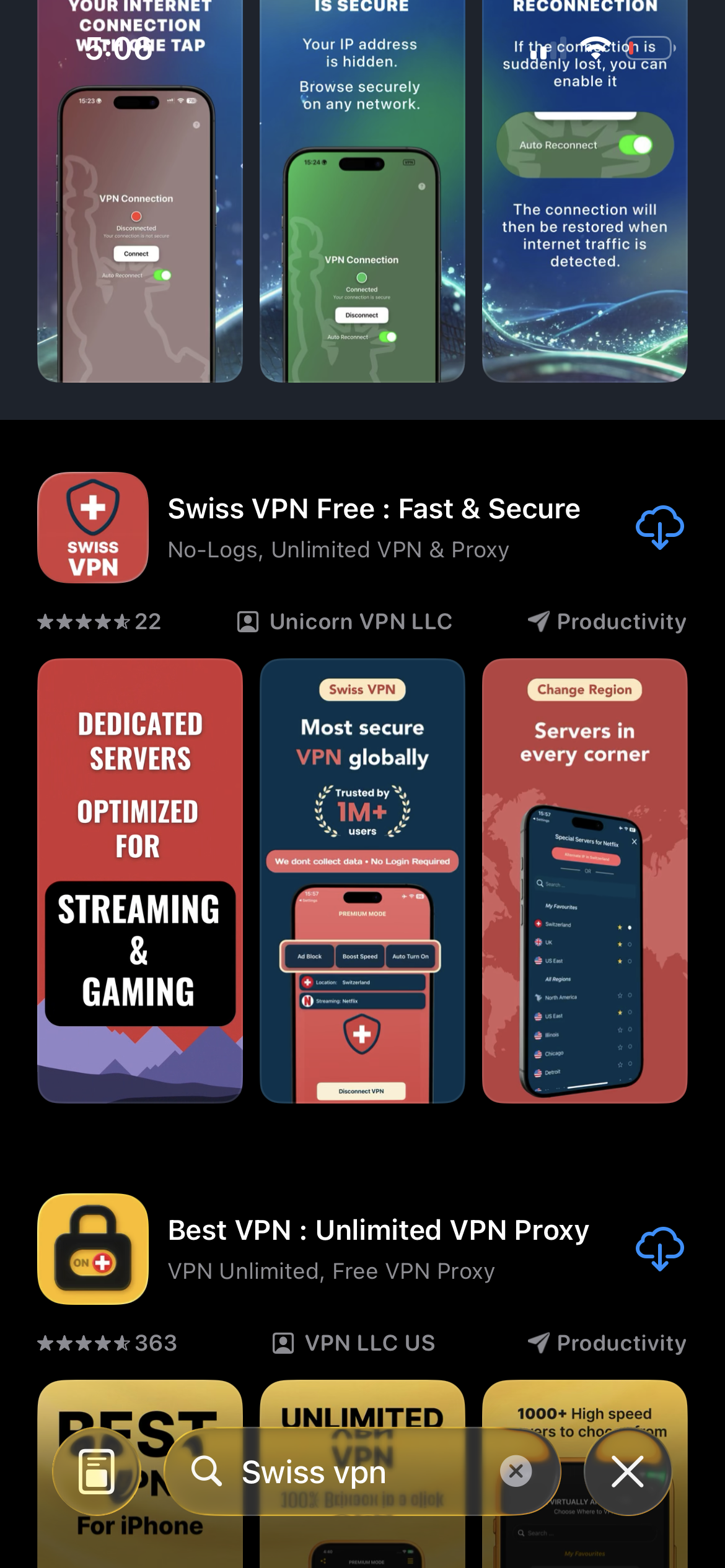
Download Swiss VPN
Search for "Swiss VPN" on the App Store and tap download. The app is completely free — no registration, no credit card, no personal information required.
- Available on iOS, iPadOS & macOS
- No registration required
- 100% free to download
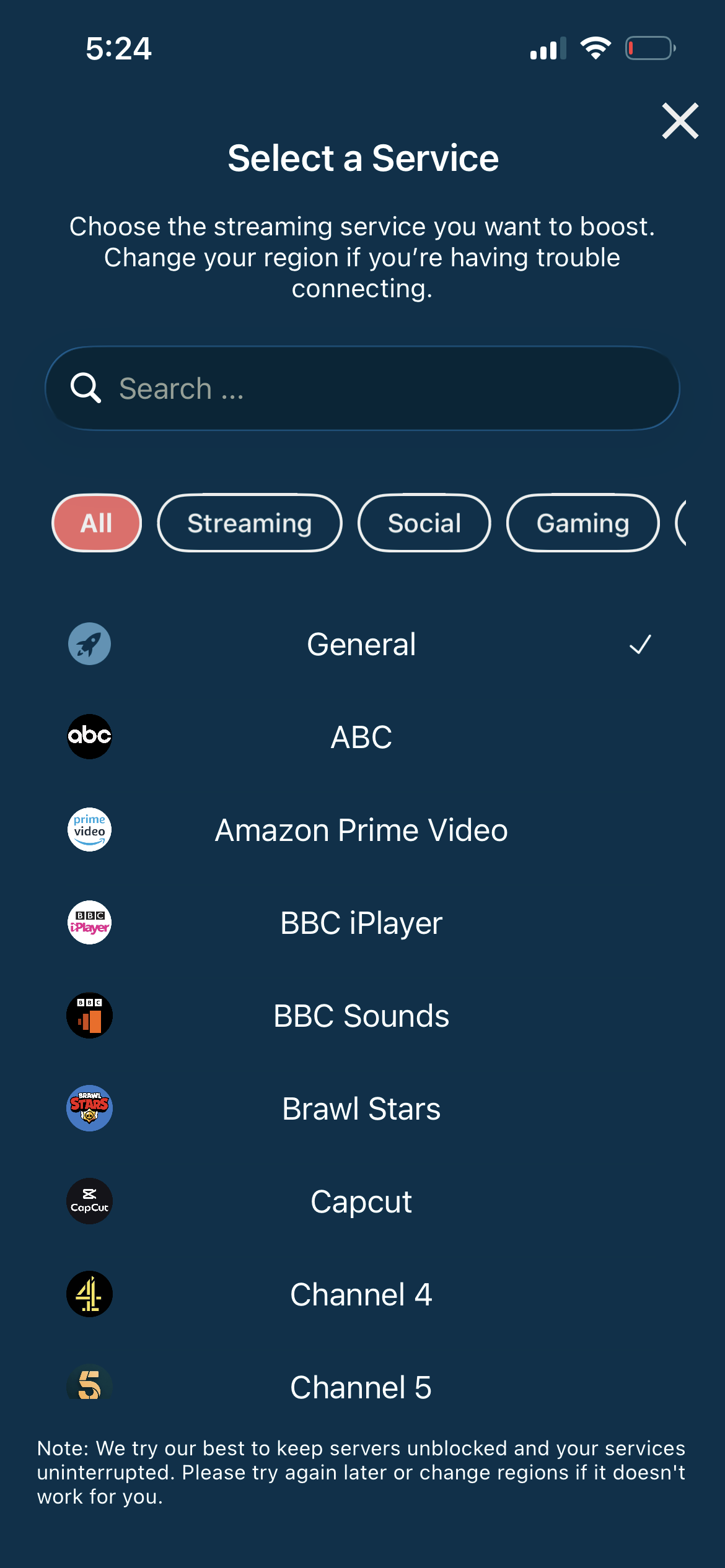
Search for Pluto TV
Open the service selector and search for "Pluto TV" or browse the Streaming category. Tap it and Swiss VPN connects to the best server.
- Auto-selects best region for Pluto TV
- One-tap connection
- Dedicated optimized servers
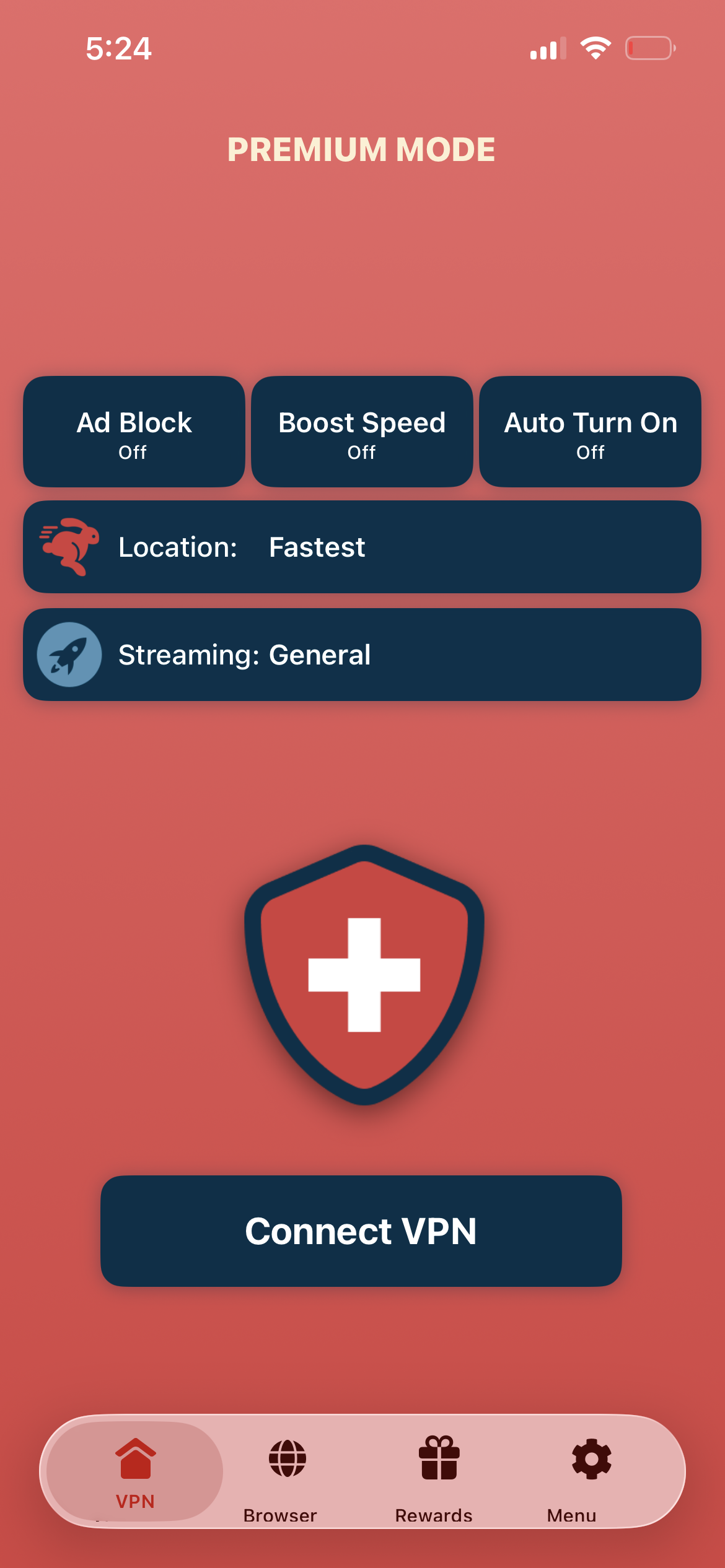
Tap connect, open Pluto TV
Tap "Connect VPN" and wait for the connection to establish. Then open the Pluto TV app or visit pluto.tv — the full channel lineup is now available.
- Instant Pluto TV access
- Encrypted & private connection
- 250+ live channels
If Pluto TV shows wrong channels
Disconnect from Swiss VPN, then reconnect to a US server. Close and reopen the Pluto TV app. Clear the app cache if the wrong region channels persist.
Good to know
- VPN access depends on the service's current policies and may change over time.
- Some content may require a paid subscription to the streaming service itself.
- For the best experience, connect to the nearest recommended server.
Frequently Asked Questions
Is Pluto TV really free?
Yes. Pluto TV is 100% free and ad-supported. No subscription, no credit card, no account required.
Do I need an account for Pluto TV?
No. You can watch Pluto TV without creating an account. An optional free account lets you save favorites.
Which region has the most Pluto TV channels?
The United States has the largest channel lineup with 250+ live channels and the biggest on-demand library.
Will a VPN cause buffering on Pluto TV?
No. Swiss VPN is optimized for streaming and live TV plays smoothly.
Ready to stream Pluto TV?
Download Swiss VPN, connect to a US server, and start watching 250+ free live channels — from anywhere in the world.