To watch Apple TV+ with a VPN:
- Download Swiss VPN free from the App Store — no account needed.
- Open the app and search for Apple TV+ in the service selector.
- Tap connect — Swiss VPN picks the fastest optimized server.
- Open Apple TV+ and start streaming.
What is Apple TV+?
Apple TV+ is Apple's streaming service featuring exclusively original content — award-winning shows like Ted Lasso, Severance, The Morning Show, and Slow Horses. Available in 100+ countries, but some live sports content (MLS Season Pass, Friday Night Baseball) is restricted to the US. Apple TV+ is included in Apple One bundles.
Why use Swiss VPN for Apple TV+?
While Apple TV+ originals are available in 100+ countries, live sports content like MLS Season Pass and Friday Night Baseball are restricted to the US. Swiss VPN lets you access the complete Apple TV+ experience from anywhere.
Unlock live sports
Connect to a US server to access MLS, Friday Night Baseball, and other US-exclusive content.
Encrypted connection
Swiss VPN encrypts your traffic for complete streaming privacy.
Fast for 4K
Optimized servers for smooth 4K HDR Dolby Vision playback.
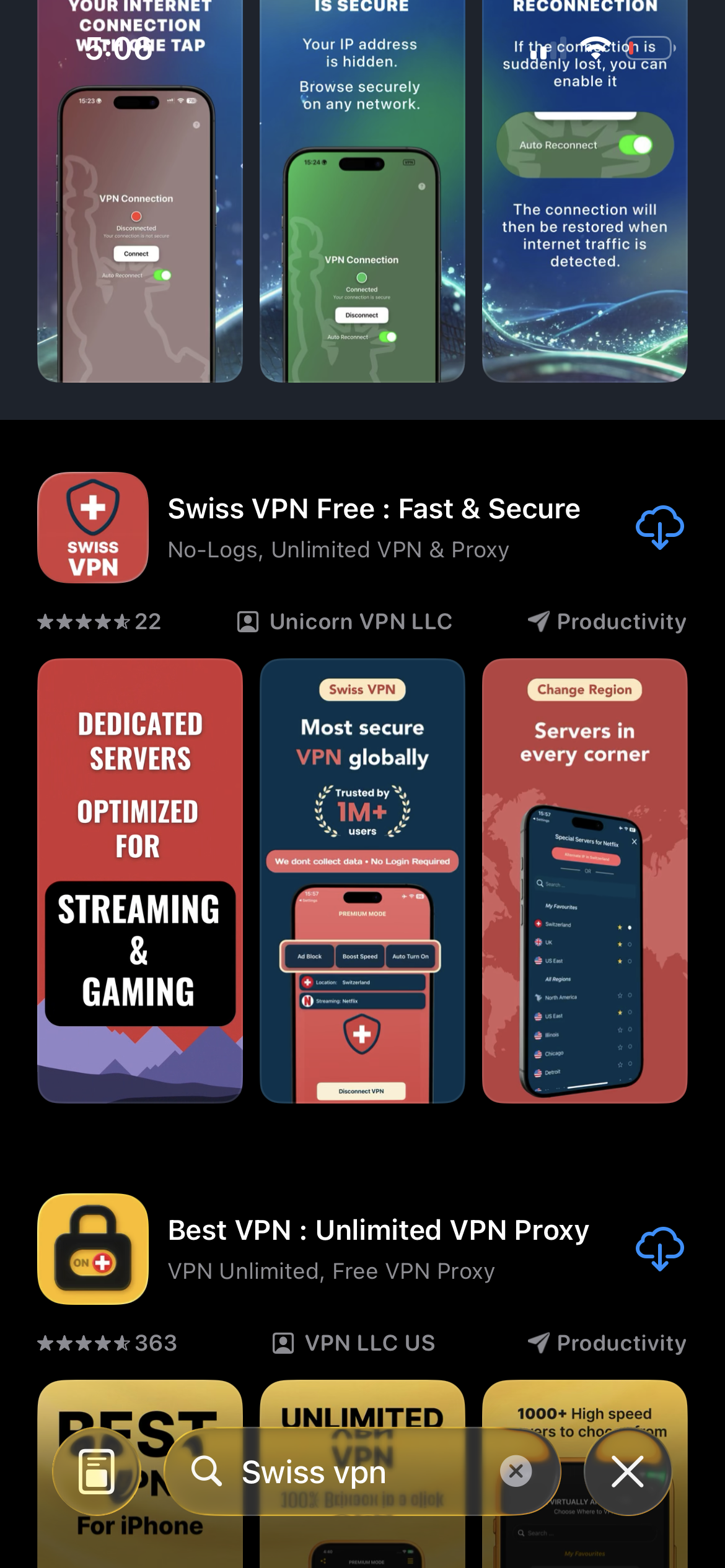
Download Swiss VPN
Search for "Swiss VPN" on the App Store and tap download. The app is completely free — no registration, no credit card, no personal information required.
- Available on iOS, iPadOS & macOS
- No registration required
- 100% free to download
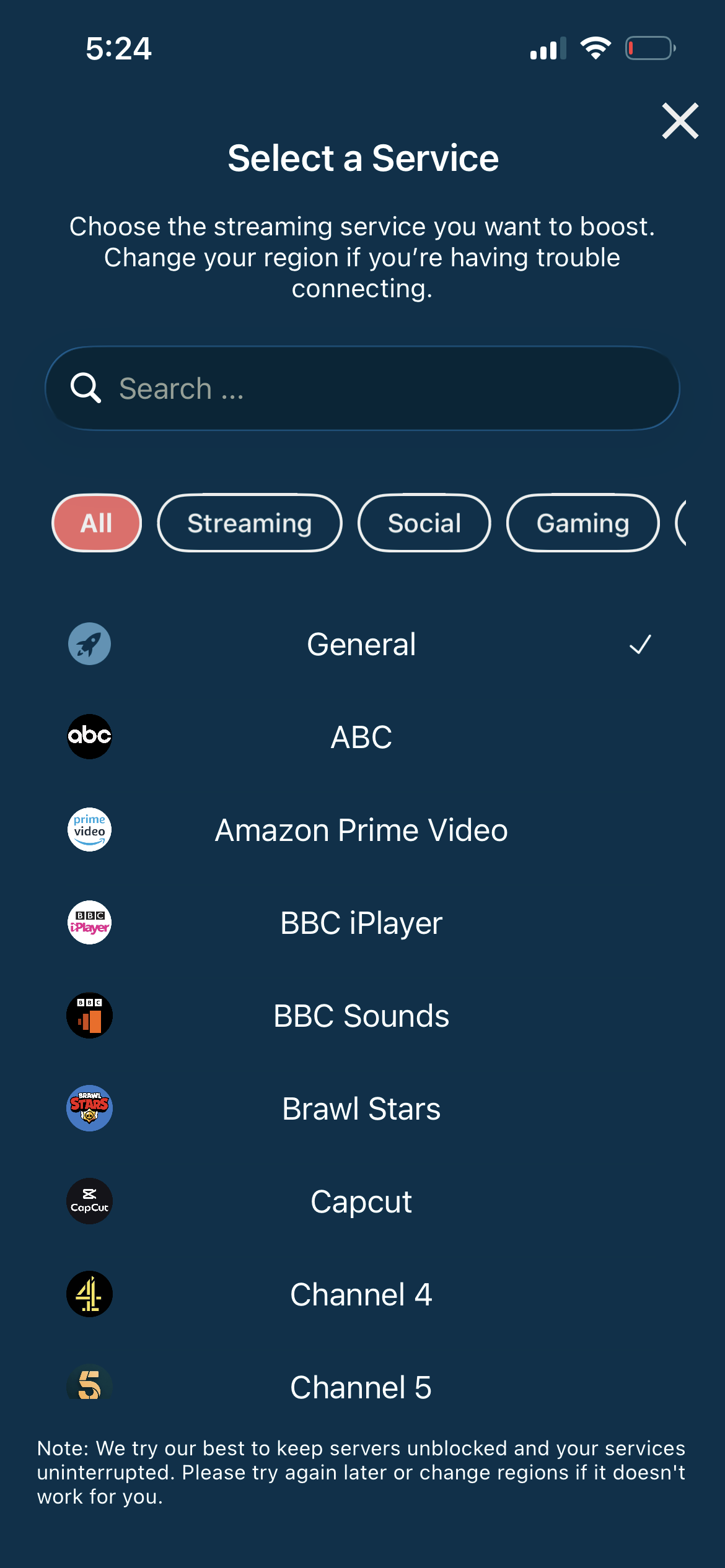
Search for Apple TV+
Open the service selector and search for "Apple TV+" or browse the Streaming category. Tap it and Swiss VPN connects to the best server.
- Auto-selects best region
- One-tap connection
- Optimized for streaming
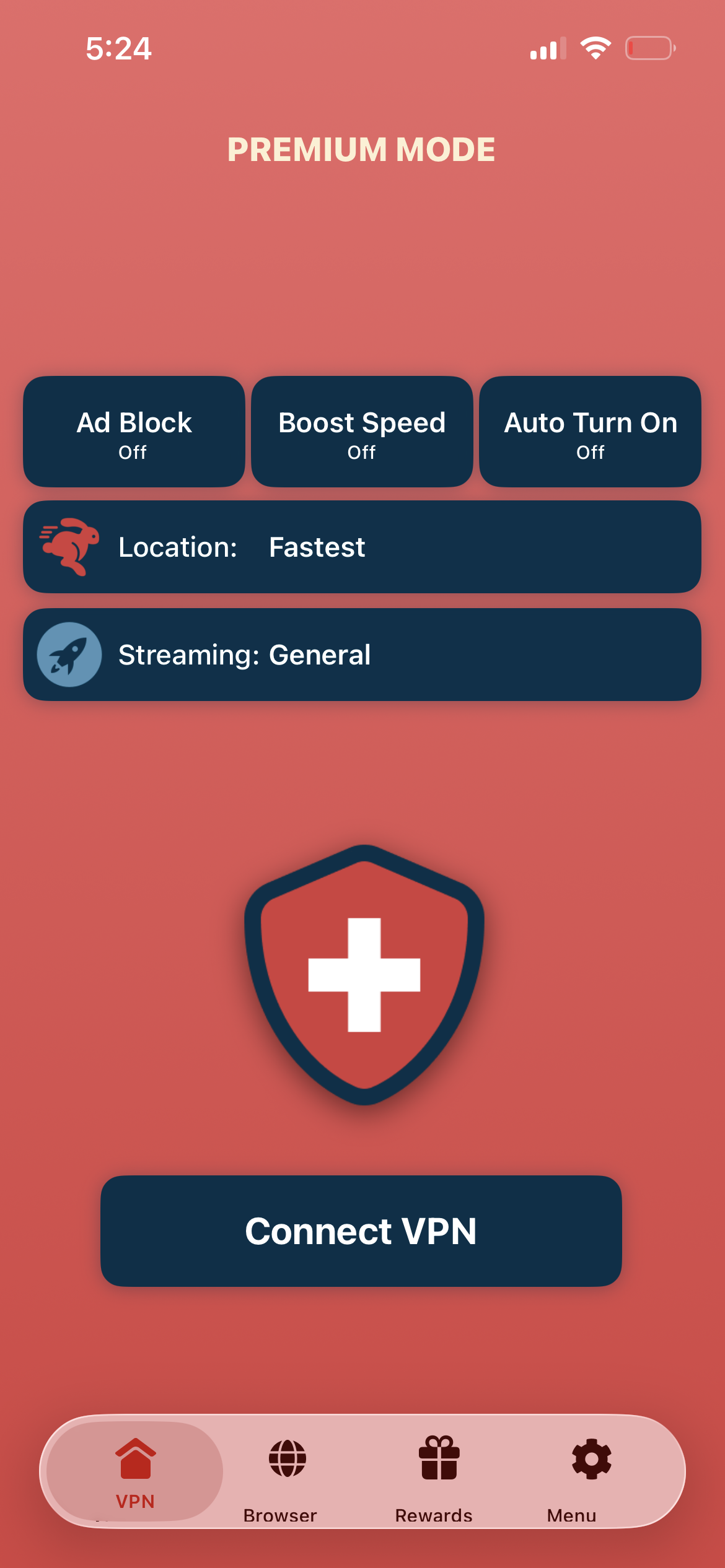
Tap connect, open Apple TV+
Tap "Connect VPN" and open the Apple TV app — originals, live sports, and the full catalog are available.
- Instant Apple TV+ access
- Encrypted connection
- Full content unlocked
If Apple TV+ shows a region error
Disconnect, reconnect to a different server, and reopen the Apple TV app. Clear the app cache if the error persists.
Good to know
- VPN access depends on the service's current policies and may change over time.
- Some content may require a paid subscription to the streaming service itself.
- For the best experience, connect to the nearest recommended server.
Frequently Asked Questions
Is Apple TV+ available worldwide?
Apple TV+ originals are available in 100+ countries. However, some live sports like MLS and Friday Night Baseball are US-only.
Is there a free trial?
Apple offers a free trial for new subscribers, and Apple TV+ is included free with new Apple device purchases for a limited time.
Do I need an Apple device?
No. Apple TV+ is available on smart TVs, Roku, Fire TV, game consoles, and via the web at tv.apple.com.
Can I watch sports with a VPN?
Yes. Connect to a US server with Swiss VPN to access MLS Season Pass, Friday Night Baseball, and other US-exclusive live sports.
Ready to stream Apple TV+?
Download Swiss VPN, connect to the right region, and enjoy award-winning Apple originals and live sports — from anywhere.